
HVAC lead follow-up · Updated October 20, 2026
Is Your HVAC Lead Follow-Up Working? Five Numbers to Check
Five checks that show where inquiries reach the calendar and where the handoff needs work.
By Jason Wyatt · Originally published August 14, 2026
Your office sent the text, the automation says it ran, and the calendar still has holes. So did the follow-up work?
I want you to answer that with five numbers you can check, not a report full of green checkmarks. This guide is for an HVAC company that already receives inquiries and wants to see what happens between the first call or form and the appointment.
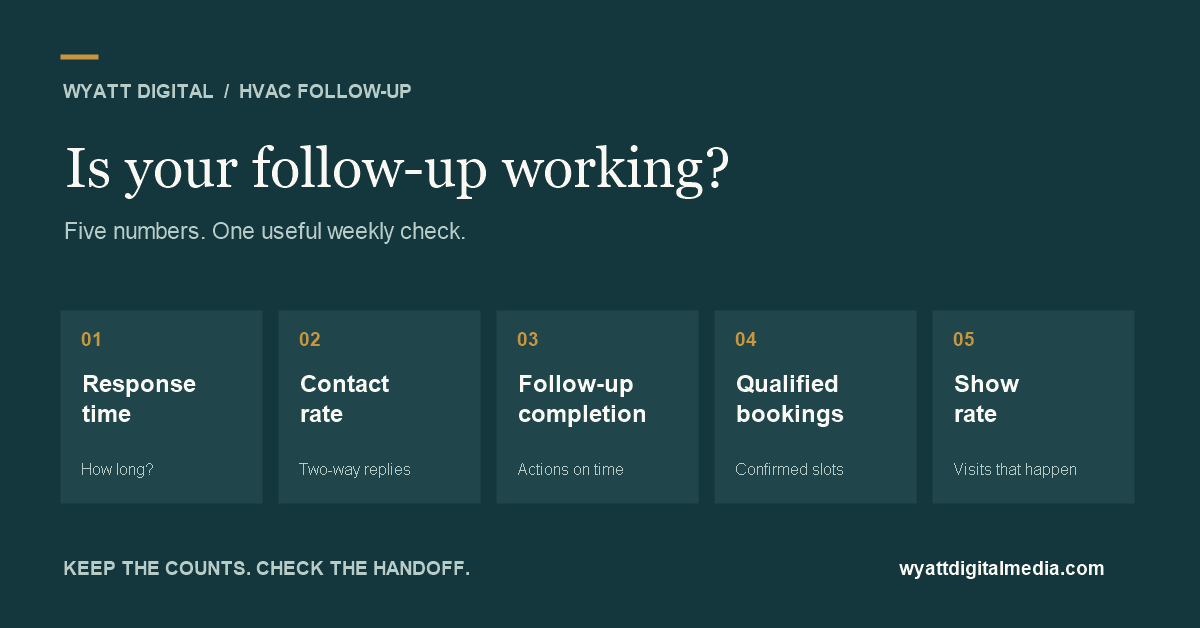
Check your time to first useful response, contact rate, follow-up completion, qualified booking rate, and appointment show rate. Use the same definitions each week, keep the original counts beside the percentages, and follow the same group of leads through the process. A message sent, a phone-link click, and a confirmed appointment measure different things.
1. How long does a lead wait for a useful response?
Record when the inquiry arrives and when your team first gives the person a useful response. Keep an automatic acknowledgement separate. “We received your request” can set expectations, but it does not tell the homeowner whether you serve their area or when someone can help.
For a phone inquiry answered by a person, that first conversation may be the useful response. For a website form, it may be a callback or a relevant text that answers the request or moves scheduling forward. Write down your definition so the office and your reports count the same thing.
- Measure elapsed time from inquiry to useful response.
- Report the median, the middle waiting time when you sort the records, and review the longest waits.
- Separate business-hours inquiries from after-hours inquiries.
- Keep leads with no response on a separate list. Excluding them makes the number look better than the process.
Use your actual staffing, appointment capacity, and escalation rules to set a target. I would rather see an honest response promise that your office can keep than an impressive promise nobody owns. The lead-response guide explains the difference between answering quickly and giving somebody a next step.
2. How many inquiries become real conversations?
Contact rate tells you how often a legitimate inquiry reaches a two-way conversation. A homeowner replying by text can count. An automated message delivered to a phone does not establish that a conversation happened.
Contact rate = leads with a two-way conversation ÷ legitimate new leads × 100.
Define a legitimate new lead before counting. Remove spam and duplicate records under a consistent rule. Keep existing-customer calls separate if this scorecard is for new customers. Include real prospects who turn out to be outside your service area in the lead count, then record why they did not qualify.
Review the contact rate by source. Calls, forms, referrals, and paid lead services can behave differently. A blended percentage can hide one source that keeps sending your office records it cannot reach.
3. Is the agreed follow-up actually getting done?
This is where a working automation and a working process can part company. The system sends the first message, somebody promises a callback, and that callback never happens. The software did its part. The handoff still failed.
Follow-up completion = eligible actions completed by their due time ÷ all eligible actions due × 100.
Count actions due during the reporting week. When a person books, declines, or opts out, cancel future attempts according to your rules and remove those canceled attempts from the denominator. Record cancellations so you can explain the change. An action that was due and simply forgotten stays in the count.
Give every unresolved lead an owner, a next action, and a due time. Include human callbacks as well as automated attempts. Keep delivery failures visible. For the practical sequence around those actions, use the HVAC lead-follow-up guide. For the first reply after a missed call, see the missed-call text-back guide.
4. How many qualified opportunities become appointments?
A qualified opportunity fits the service area, type of work, and other acceptance rules your business has agreed to use. Booking rate then asks how many of those opportunities became confirmed appointments.
Qualified booking rate = qualified opportunities with a confirmed appointment ÷ qualified opportunities × 100.
Count a confirmed appointment once. A reschedule should not create a second win for the same opportunity. Treat a separate, genuinely new job as a separate opportunity under a documented rule. Keep cancellations and reschedules available for review.
You can also track bookings divided by all legitimate leads, but label it lead-to-booking rate. Those two rates answer different questions. Changing the denominator halfway through a comparison can make a flat result look like progress.
When contact is healthy but bookings are weak, inspect availability, qualification, pricing conversations, and the handoff to scheduling. More texts may not solve an appointment-capacity problem.
5. Do booked appointments actually happen?
A full calendar is only part of the result. Track the appointments that were due to happen during the week and whether the customer attended or the service visit took place.
Show rate = appointments that took place ÷ appointments due to take place × 100.
For this scorecard, exclude appointments rescheduled or canceled before the scheduled start, and report those counts separately. Include no-shows in the denominator. Use the same rule every week. Do not count appointments scheduled for next month as failures this week.
This appointment group can include leads received in an earlier week. That is fine, as long as you label it. The weekly show rate and the eventual show rate for one group of new leads are separate views of the process.
What should go on your weekly scorecard?
Keep the counts, the definition, and the next action together. Use the first complete reporting period as a baseline. If you change your definitions later, mark the change instead of treating the periods as directly comparable.
| Check | What to record | Question for the office |
|---|---|---|
| Response time | Median elapsed time; unanswered leads; business-hours and after-hours split | Where did the longest waits happen? |
| Contact rate | Two-way conversations / legitimate leads | Which source or handoff lost contact? |
| Follow-up completion | Actions completed on time / eligible actions due | Who owns the overdue callbacks? |
| Qualified booking rate | Qualified opportunities booked / qualified opportunities | Could qualified customers get an appropriate slot? |
| Show rate | Appointments held / appointments due; separate cancellations and reschedules | Were arrival details and changes clear? |
Download the blank weekly scorecard (CSV) to use in your spreadsheet. Keep customer names, phone numbers, and other personal details out of this summary sheet.
For contact and booking rates, keep a group of leads received in the same period together. Decide when that group is mature enough to compare, such as 14 days after the reporting week ends, based on your actual sales cycle. Mark recent weeks as provisional while follow-up is still running.
Review follow-up actions due and appointments due in the current week alongside that lead-group view. They help you manage today's work without pretending every result belongs to leads received this week.
A hypothetical example, not a client result
Suppose one weekly group contains 40 legitimate new leads. After the agreed follow-up window, 24 have reached a two-way conversation, 20 qualify, and 12 have booked.
- Contact rate: 24 / 40 = 60%.
- Qualified booking rate: 12 / 20 = 60%.
- Lead-to-booking rate: 12 / 40 = 30%.
Separately, 45 of 50 eligible follow-up actions due this week were completed on time, giving a 90% completion rate. Ten appointments were due to happen after advance cancellations and reschedules were excluded; eight took place, giving an 80% show rate.
These are invented figures for explaining the arithmetic. They are not benchmarks, a forecast, or evidence that a system caused an improvement. If you later compare periods, also check lead source, season, staffing, service demand, and appointment capacity.
What if there are no bookings yet?
Write down zero bookings. If there are no qualified opportunities, the qualified booking rate is not applicable, because you cannot divide by zero. If there are no appointments due, show rate is also not applicable. “No data” and “a measured zero” need different labels.
You might say, “But Jason, I don't have enough leads for all this.” Start with the individual records. Two missed callbacks are still two people your office needs to deal with. A small sample can guide a check; it cannot establish a reliable trend.
How do you know the tracking is telling the truth?
Check one controlled inquiry through the process: receipt, response, ownership, follow-up, qualification, and confirmed appointment. Label test records and exclude them from your business scorecard. Verify the booking record in the calendar or CRM before treating it as a booking result.
A phone-link click shows that somebody selected the call link. It does not establish that the call connected. A booking-page visit does not establish that an appointment was created. Google explains how to measure important actions as GA4 key events and check them in Realtime or DebugView. Match the event to the actual business action, and avoid sending the same booking twice through separate browser and server integrations.
For the operational scorecard, use your phone, CRM, follow-up, and calendar records. Website analytics helps explain how visitors reached the inquiry, but it does not replace those records.
What should you fix first?
Pick one handoff the records show is failing. Assign an owner, make a specific change, and review it after a full reporting period. You do not need 47 charts to discover that nobody calls the after-hours form leads on Monday morning.
I use that same approach in business automation for Jacksonville service businesses: define the result, make ownership clear, and test the exceptions. The Lead Conversion Engine connects response, follow-up, qualification, booking, and reporting around that process.
Start with the five checks, keep the definitions steady, and follow the records back to the actual work. That is how you tell whether lead follow-up is holding up on a busy Tuesday.
Find the handoff that needs attention.
Bring your lead counts, response times, follow-up records, and booking numbers. We'll look for the largest gap and decide what is worth fixing.
Book a Lead Conversion Audit